CC Digital Human Contest 2020 Entry 2- Famous Bollywood Actor - Work In Progress
2nd Entry of the Digital Human Contest for Reallusion. I will try to make a Digital Double of Shahrukh Khan, one of my favorite Bollywood actors.

For the 2nd entry I'm gonna make a digital double of one of my favorite actors: Sharukh Khan.

Importing the photo of the famous actor in Character Creator.

First try: not so bad!

Adjusting the eyes shape and eyelid shape.

adjusting character height

Make the body more muscular: begin with the abs

here is the picture model for the muscles

Apply modifiers to make more shoulders, muscular arms and forearms.

Use this image as model to modify the side view, especially the nose and the chin.
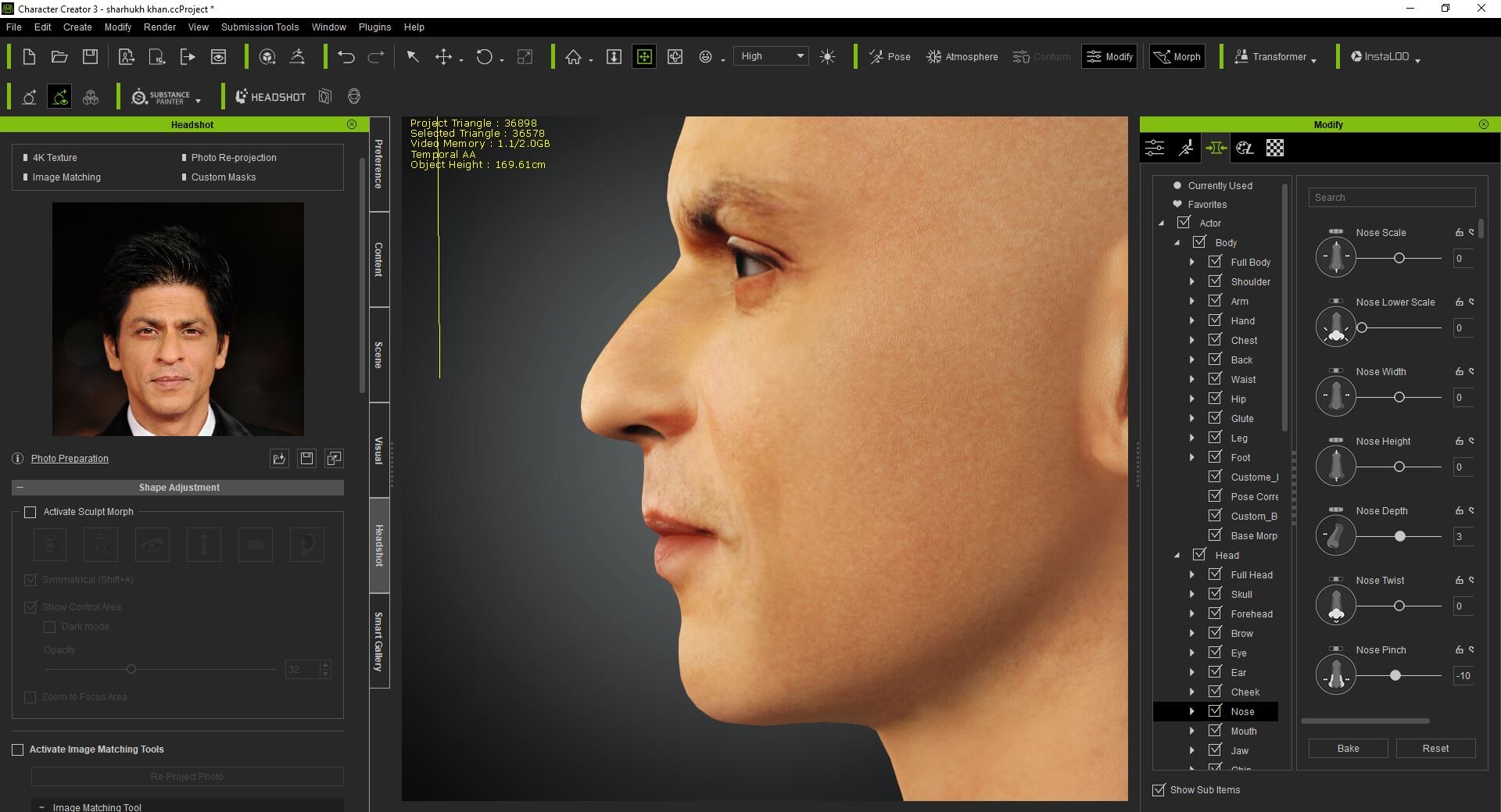
Starting to look quite lookalike. Still needs some sculpting work in Blender. Let's focus on the hair first.

Thanks to dazStudio: one perfect hair model for the digital double!

Apply it in Daz.

Export model at fbx format.


Import fbx file in Blender. Decimate it to make it lighter.

Smooth vertex in 3dxchange.

Create accessory in Character Creator.

Apply all the textures channel and attach the accessory to the head as hair.

Adjusting the eyebrows.

Modifying the eyebrows in photoshop

Making it look thinier.

Apply different wrinkles so the skin looks more natural.

Modifying the differents layers in photoshop.
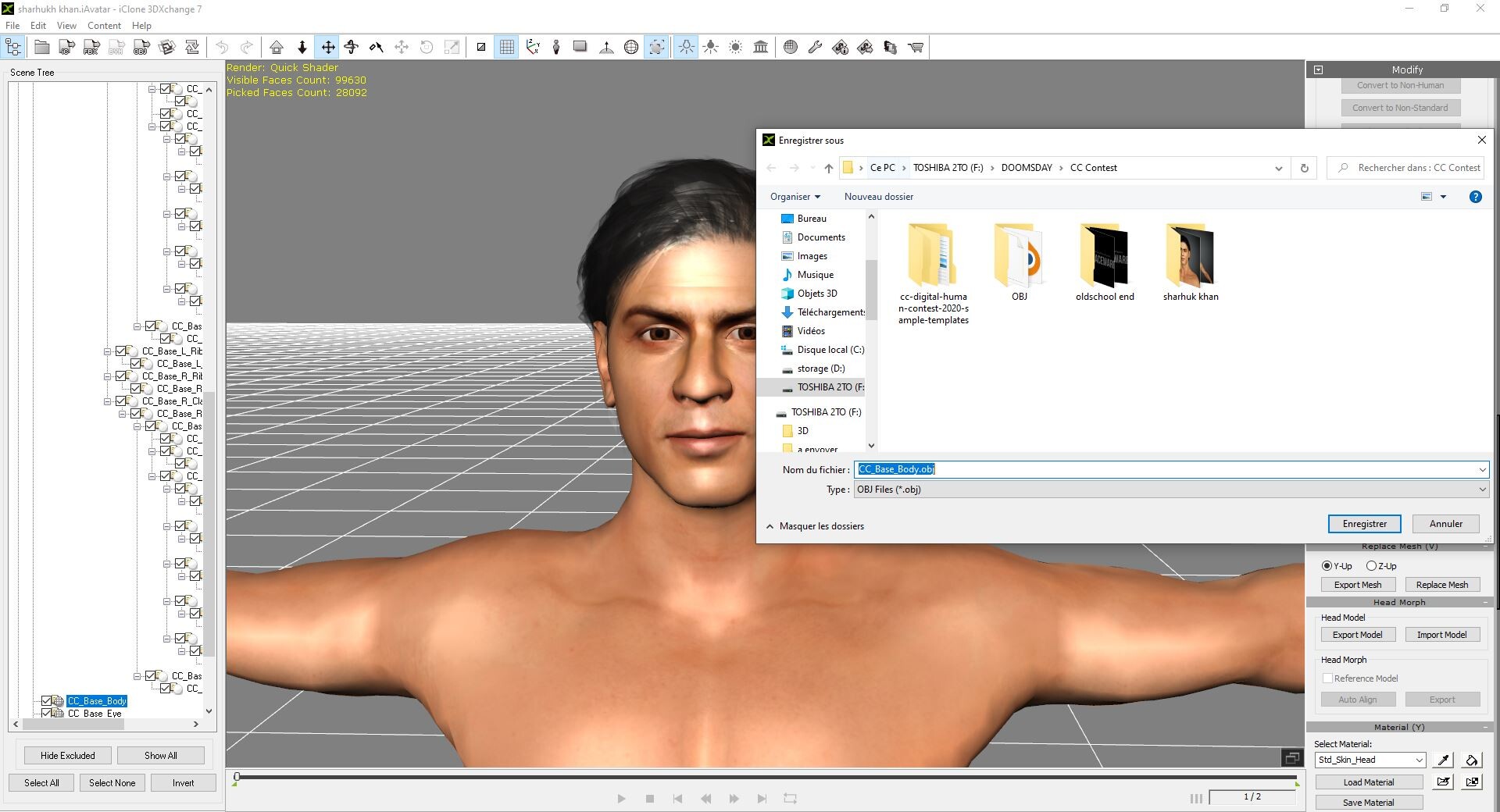
Import .iavatar in 3dxchange and export each mesh (body and hair) separately in .obj format to work in Blender.

Export the hair.

Import the two meshes in Blender.

Modify the top of the hair to look like the actor.

Delete the body mesh and export the hair alone at .obj.

Sculpt the tiny details in Blender, especially the nose.

Edit mode: trace the wrinkles around the nose.

Modify the ear shape

Increase slightly the jaw size

Replace the two meshes in 3dxchange and export the new iavatar

Doesn't look bad. Now to work on the hair textures.

Increase the specularity of the hair.

Modify the opacity through photoshop, especially the sideburns.

Let's see what it looks like in Character Creator.

Not so bad but far from being sufficient. Repeat the process until the result looks good.

Let's see with this texture.

After a few moments: quite promising !

Now let's try to erase all the imperfections on the skin through photoshop.

Concentrate on the nose

Light the darker skin under the eyebrows.

Looks better and better ! Let's try to change the lighting.

Not so bad for now.

Increase the details on the hands.

And add some clothes: here it is, one proper Shahrukh Khan

The skin needs to be darker.

let's add some beard just to play around.

Modify the eyelid shape.

First picture to the contest ! I will add some more formal clothes later on.

Apply some facial expressions.


Turntable video

Rendered with Iray


Turntable video of Sharukh Khan

some renders made in iclone


